How to Read Claude Code and Cursor Agent Transcripts Like Documents
Claude Code and Cursor agent runs hide their best prose inside collapsed tool calls. Here is the export, render, and reading workflow that gets it back out.
Why Coding Agent Transcripts Are Hard to Read
A Claude Code or Cursor agent run looks tidy inside the IDE pane. You scroll a few times, you see green diffs, the run finishes, and you move on. The transcript that the agent produced is a different shape entirely. It can be twenty thousand words of tool calls, reasoning, file reads, shell output, and the small prose paragraphs where the agent explains what it did and why. The IDE pane was built to keep you moving forward, not to read back.
When something breaks two days later, that prose is where the answer lives. The agent already told you the migration was risky, that it skipped a flaky test, that it deleted a fixture you forgot existed. You could not read it at the time because the pane collapsed it under a tool call accordion next to forty file reads. Recovering it after the fact is the whole game, and the same reading problem that hits long Claude threads hits these runs harder because the tool noise is louder.
Export the Transcript Before It Disappears
Claude Code and Cursor both write raw transcripts to disk, which means the export is already done. You only have to find the file. Claude Code keeps a JSONL session log under ~/.claude/projects/<slug>/<session-id>.jsonl, one event per line, with full reasoning and tool payloads intact. The format is documented in the Anthropic Claude Code docs and is stable enough to script against. Cursor surfaces a copy as markdown action in the chat header and stores traces under the workspace .cursor/ directory.
A small shell pipeline turns either source into a flat markdown file. Pipe the JSONL through jq to keep the role, content, and tool_use entries, then write the result to a path like ~/agent-runs/2026-06-10-payments-refactor.md. After a week you own a real archive instead of a tab graveyard. The archive is also the artifact you can search when a teammate asks why a config file changed at four in the afternoon on Tuesday, which is the same archive habit that makes saved AI conversations useful months later.
Render It So You Can See the Diffs
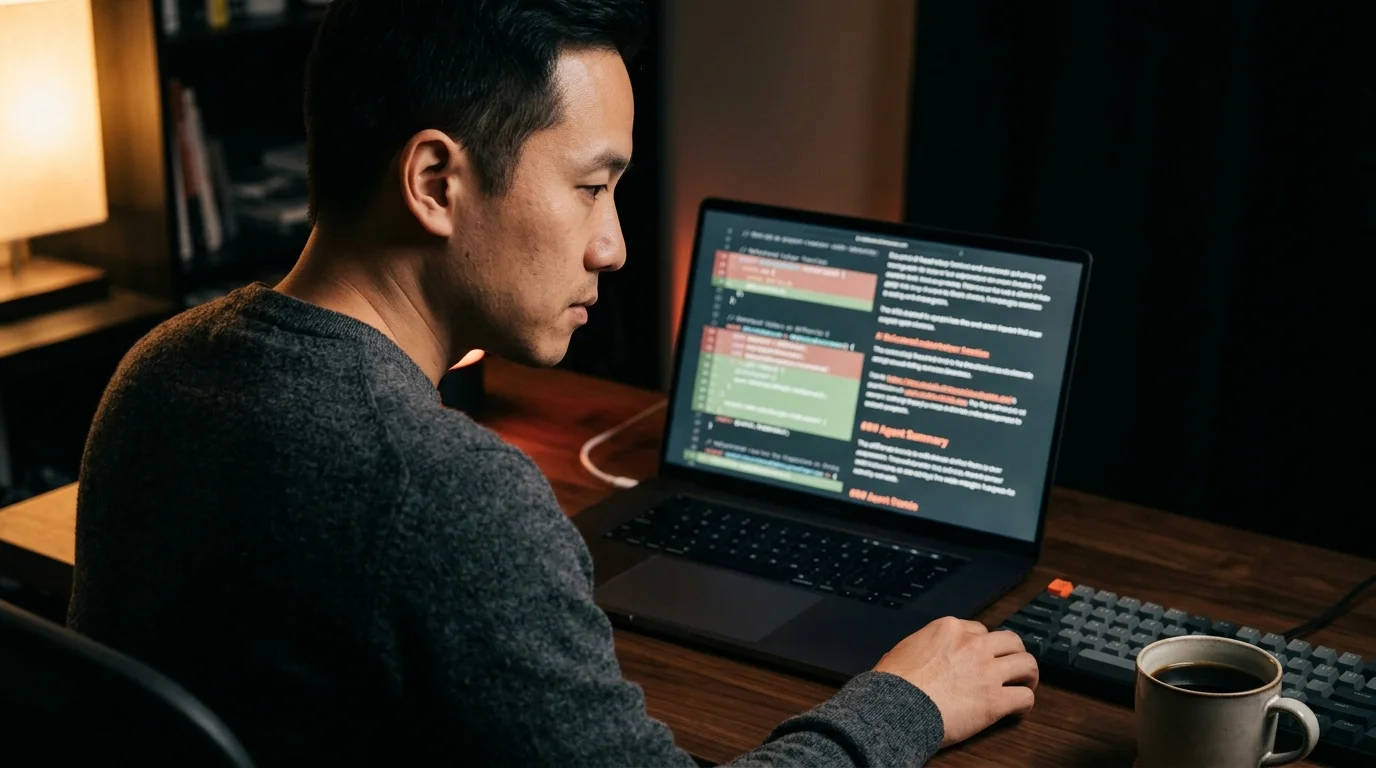
A twenty thousand word markdown file opened in a code editor is still mostly unreadable. Fenced diff blocks render as flat grey text, tool calls run together, and the prose between them blurs into the surrounding noise. A reader built for markdown solves the layout problem in two seconds. Prism MD parses the fences, colours the diff hunks, lays out the code in a real monospace face, and gives the prose the wider measure it needs to sit beside long shell output without scrolling sideways. Typography is doing more work here than it looks at first glance. The pane that ships inside the IDE uses a single uniform font because it has to render fast, and that choice flattens every kind of content into the same visual layer.
A real reader separates those layers on purpose, which is the whole argument for treating AI markdown as its own typographic problem. The diffs need to look like diffs, the prose needs to look like prose, and the shell output needs to look like neither. KaTeX and Mermaid help here too, especially for runs where the agent sketched an architecture diagram or wrote out a complexity bound inline. Once those layers separate cleanly, the whole run starts reading like a document instead of a log file.
Read It Like a Document, Not a Log
Once the transcript is rendered, the reading move is to skim for prose first and tool calls second. The agent prose paragraphs are usually the thesis of the run. The tool calls are the supporting evidence. Most of the time you only need the evidence when the thesis surprises you. A good pass through a long run looks like this:
- Open the rendered file and jump to every H2 or bold line the agent wrote.
- Note the moments where the agent said it was uncertain, skipped a step, or chose between two approaches.
- Pull in the tool output only at those moments, not in linear order.
- Save the run to your archive with a one line summary at the top, written in your own words.
That last step is the one that compounds over time. After a month of summaries your archive becomes a queryable record of what your agents did, not only what they tried. The summaries also force you to read the prose in the first place, which is the whole goal of the exercise. It is the same payoff that comes from sharing rendered AI conversations with a team instead of screenshots: the next person who needs the context can find it without asking you.
FAQ
Does this workflow apply to Aider, Cline, or Codex CLI?
Yes. Any agent that writes a JSONL or markdown session log can be flattened with the same jq pipeline and read in any decent markdown viewer. The reader itself does not need to know which agent produced the file, only that the file is well formed markdown with fenced code blocks. The same trick works for plain old shell session captures from script or asciinema, as long as you trim the control codes first.
Should I commit agent transcripts into the repo? Usually no. Keep them in a personal archive folder or a private gist instead of the shared project history. Commit only the diffs the agent produced, paired with a normal human written commit message that explains the intent. Transcripts often contain pasted secrets, full file contents from elsewhere on disk, and reasoning you do not want surfacing in a public mirror of the repository later.
What if the run is too long for the reader to handle smoothly? Split the file at major H2 boundaries before you open it. A thirty thousand word run reads better as three ten thousand word files, and the archive search still works across all three because each filename carries the date and slug. Most readers will also let you jump between files without losing your scroll position. If a single section is still too dense, fold the tool output into a collapsed details block so the prose stays the default view.
Is there a privacy concern with archiving these locally? The archive is as private as the disk it sits on, so threat model accordingly. Encrypt the folder at rest if you work with client code, and exclude the path from any cloud backup you have not vetted line by line. Treat the archive the same way you treat your shell history file, because in practice it contains the same class of secrets. A small monthly purge of older runs you no longer need keeps the blast radius small.
Read your Claude Code and Cursor transcripts the way they were meant to look
Free to start — no credit card.
Related reading


Ready to read your own AI documents?
Open ChatGPT, Claude, Gemini, or any markdown file in the reader built for the way models write.
- ✓Renders code, math & Mermaid out of the box
- ✓Works offline once you've opened a doc
- ✓Free forever for personal reading