How to Read LangGraph, CrewAI, and AutoGen Multi-Agent Transcripts
Export multi-agent runs from LangGraph, CrewAI, and AutoGen as markdown, then read them like real documents instead of scrolling terminal buffers.
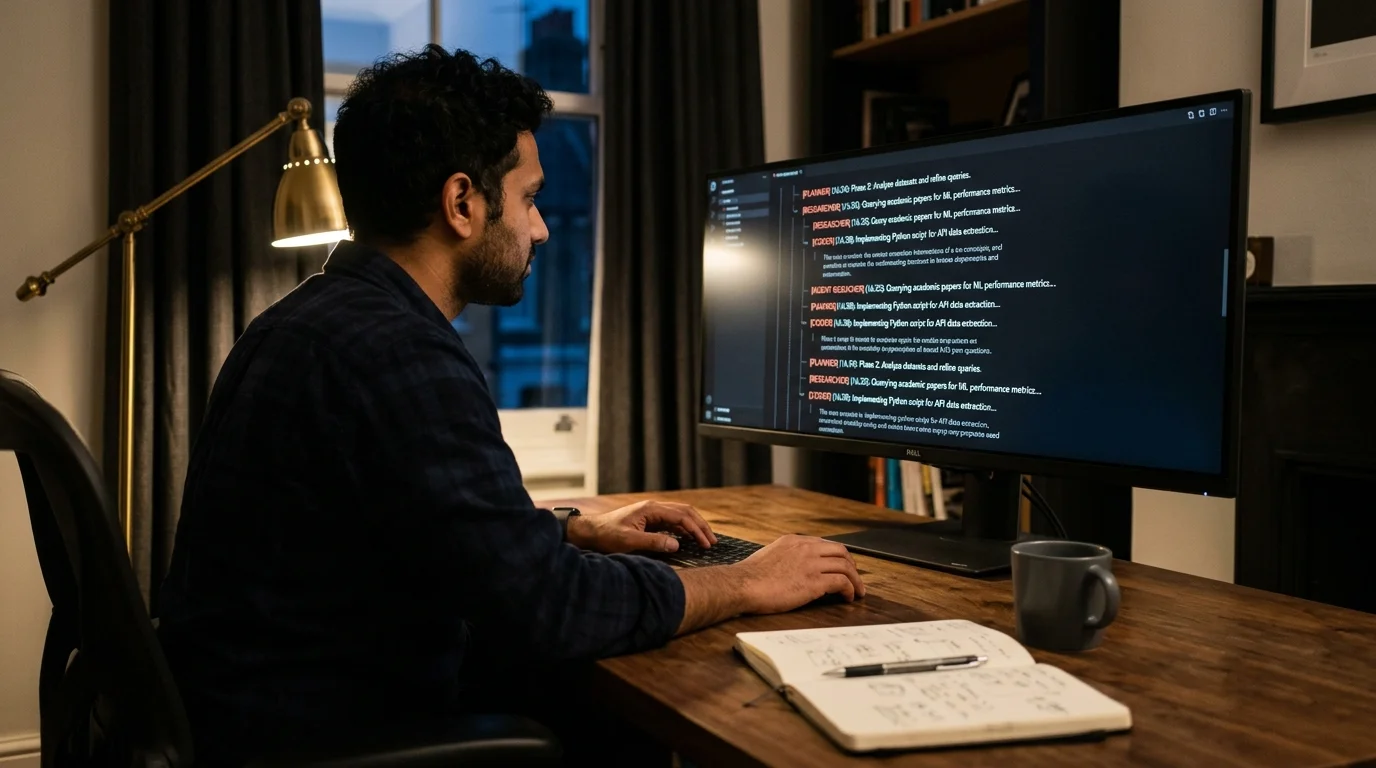
Multi-agent frameworks like LangGraph, CrewAI, and AutoGen turn a single prompt into a long back and forth between planners, researchers, coders, critics, and tool callers. When something goes wrong, or when something goes surprisingly right, the record of that conversation is where the real insight lives. The problem is that the record usually lives inside a terminal buffer, a JSON log file, or a LangSmith trace viewer. None of those are built for reading. You end up scrolling past truncated tool calls, guessing which agent said what, and losing the thread halfway through.
This guide walks through a saner workflow: export the transcript as markdown, open it in a proper reader, and read it the way you would read a well formatted technical document. The goal is comprehension, not archaeology. Everything below assumes you already have a working crew or graph and you want to make its output legible after the fact. No new framework, no rewrite, only a small capture step and a better reader on the other end.
Why multi-agent logs are harder to read than single-agent chats
A ChatGPT conversation has two speakers. A CrewAI run can have five agents plus a manager, each with its own tools, memory, and internal monologue. The default log output tries to represent all of that in a flat stream, usually with ANSI color codes that break the moment you paste them anywhere useful. Reading a 40 turn crew run in a terminal is like reading a play where every character speaks in the same font and the stage directions are inline with the dialogue.
The second issue is tool calls. LangGraph nodes routinely emit JSON tool arguments that run 200 lines long. In a terminal, those blocks push the real reasoning off screen. In a markdown reader with proper code folding, you can collapse the tool payload and keep reading the agent's thought process. That single affordance changes how much of the transcript you absorb. It is the same reason people find Claude Code and Cursor agent transcripts easier to review as documents than as raw logs.
Exporting the transcript from LangGraph, CrewAI, and AutoGen
Each framework stores its trace differently, so the export step depends on which one you are running. LangGraph pushes structured events through its stream API, and the cleanest capture is to write each event to a JSONL file as it arrives. CrewAI exposes a verbose mode that prints a step by step log, and recent versions include a callback hook that lets you serialize each agent step. AutoGen writes to a chat history object on the group chat manager, which you can dump to JSON after the run completes.
Once you have the raw events, the conversion to markdown is mechanical. A short Python script can walk the events, group them by agent name, and emit a section per turn with the agent's role as an H2 and the tool calls as fenced code blocks. Keep the timestamps. Keep the token counts if you have them. Both matter when you are trying to reconstruct why a run took nine minutes instead of two. If you have never done this before, the same pattern used to extract code blocks from AI conversations into runnable files works cleanly on multi-agent traces with a small tweak to the parser.
What a readable multi-agent transcript looks like
A good rendered transcript treats each agent turn as its own document section. The agent's name and role sit at the top of the section, the reasoning sits in prose, tool calls sit in collapsible code blocks, and tool results sit in a distinct block style so your eye can separate what the agent asked for from what it got back. Handoffs between agents get their own visual break, because handoffs are usually where runs succeed or fail. A subtle horizontal rule or a colored gutter is enough to make the seam obvious without shouting.
The formatting choices matter more than they sound. When the planner agent's output looks visually identical to the coder agent's output, your brain has to do extra work on every scroll. When they look different, you can skim a fifty turn run in two minutes and land on the exact handoff that went sideways. Consistent conventions across runs matter even more than the specific style choices, because pattern recognition is what makes long transcripts fast to read. This is the same reason AI generated markdown deserves better typography in the first place, and the payoff compounds every time you review a run.
Reading long runs on mobile without losing context
Long crew runs often finish while you are away from your desk. Reading them on a phone in a chat app or a raw pastebin is painful because the tool call blocks blow past the viewport and the agent labels wrap awkwardly. A dedicated markdown reader with mobile typography, sticky section headers, and horizontal scrolling for code blocks solves most of that. Prism MD was built for exactly this case, and the same offline reading pattern that works for reading AI generated PRDs on mobile works for multi-agent transcripts.
The workflow that tends to stick is short. Export the run to markdown at the end of a job, sync the file to a folder your reader watches, and read it on the couch instead of at the desk. Reviews get done faster, and you stop dreading long runs because the debrief is no longer a chore. Over a few weeks this changes how you design crews, because you start writing agents whose reasoning is worth rereading rather than agents that produce a wall of output nobody ever revisits. That shift alone tends to make crews smaller, sharper, and easier to reason about.
A minimal reading workflow that scales
You do not need a heavy pipeline to make this work. The pattern that holds up across LangGraph, CrewAI, and AutoGen is small enough to keep in one file per framework, and it survives version bumps because it only touches the event stream and the filesystem. The goal is a reliable loop, not a clever one, so favor boring code over abstractions you will forget in a month. Keeping the converter in the same repository as the crew definition helps too, because both tend to evolve together.
- Capture every agent event to a JSONL file as it happens.
- Convert to markdown at the end of the run, one H2 per agent turn.
- Save into a synced folder organized by project, then by date.
- Open in a markdown reader that handles code folding and math rendering.
- Annotate the failure points inline so future runs benefit from the notes.
The whole loop takes maybe twenty lines of glue code per framework, and most of that is string formatting. The payoff is that every run leaves behind a document you can reread six months later, instead of a terminal buffer you closed by accident. Teams that adopt this pattern tend to notice a second benefit: onboarding a new engineer to a crew takes a couple of reading sessions instead of a week of shadowing, because the transcripts double as training material. A third benefit shows up over time, which is that your archive becomes a searchable record of every design decision the crew has made, and that record is far more useful than any postmortem doc.
FAQ
Does this work for LangSmith traces too? Yes. LangSmith exposes a trace export API, and the same JSONL to markdown pattern works on its event stream. The main difference is that LangSmith traces include richer metadata, so your converter can add token cost and latency to each section header. That extra context is useful when you are trying to decide whether a slow run was a model problem, a tool problem, or a graph design problem. Adding a tiny summary block at the top of the rendered document, with total cost and total latency, makes triage even faster.
What about traces with images or screenshots? Multimodal agent runs are increasingly common, especially for browser using agents and vision heavy research crews. A good reader handles inline images without breaking the surrounding markdown, which is the same requirement covered in the guide on reading multimodal AI conversations with images. If your converter writes image references as relative paths, the reader can resolve them from the same synced folder without any extra setup. Keep the original resolution when you can, because downsampled screenshots make debugging vision agents much harder.
How do I diff two runs of the same crew? Export both runs as markdown, then use a plain text diff tool. Because each agent turn is a discrete section, diffs stay readable instead of collapsing into one giant blob. This is especially useful when you are tuning a prompt and want to see exactly which downstream agent behavior changed as a result. Pair the diff with the summary block from the previous question and you get a lightweight version of run comparison without any dashboard.
Is it worth keeping every run, or only the failures? Keep the successes too. Successful runs are the reference material you compare failing runs against, and they are also the raw material for teaching a newer agent how a mature crew tends to reason. Storage is cheap, and a well organized archive of past runs pays for itself the first time you need to justify a design decision to a teammate. A simple naming scheme with date, crew name, and short outcome tag is enough to keep the archive browsable for years.
Read your agent transcripts the way they were meant to be read.
Free to start — no credit card.
Related reading

Ready to read your own AI documents?
Open ChatGPT, Claude, Gemini, or any markdown file in the reader built for the way models write.
- ✓Renders code, math & Mermaid out of the box
- ✓Works offline once you've opened a doc
- ✓Free forever for personal reading