Extract Action Items and TODOs from Long AI Conversations
A four-tag workflow for pulling TODOs, questions, decisions, and references out of long ChatGPT and Claude sessions in about fifteen minutes.
Why AI conversations bury the good stuff
An hour spent brainstorming with Claude or ChatGPT can produce a great plan. Two days later, the plan is somewhere in a scroll of a hundred exchanges, next to a tangent about naming your product and a code snippet you never used. The information is there. The retrieval is broken. Most people cope by copying a few lines into a notes app, then losing the source. That works until you need to check the reasoning behind a decision and cannot find it.
Prism MD was built for people who return to their AI sessions and re-read them, so the missing piece is a lightweight system for pulling out the parts that need action. This post walks through a four-step workflow that takes about fifteen minutes per long conversation and produces a working task list you can trust. It relies on nothing more than a markdown reader and a tagging convention. No plugins, no separate tools, no synced database. The whole method fits on a postcard, which is roughly the point.
Read the conversation with intent
The first pass through a long AI transcript should be a read, not a skim. Skimming works for confirmation but misses buried commitments, like the moment the model proposes a specific test you agreed to run and then moved past. If the conversation runs unusually long, break it into sittings and use the reading patterns from our guide on long Claude conversations to keep pace without losing thread. A single unread paragraph in the middle is often the one that mattered most.
While reading, resist the urge to fix anything. The temptation to open a new tab and start editing code the moment you spot a bug will cost you the next thirty minutes of the transcript. Keep a second pane, or a paper card, and note only the location of items you want to come back to. Line numbers or timestamps work. So does copying the first four or five words of the relevant paragraph. The point is a pointer, not a rewrite.
A simple tagging convention that survives
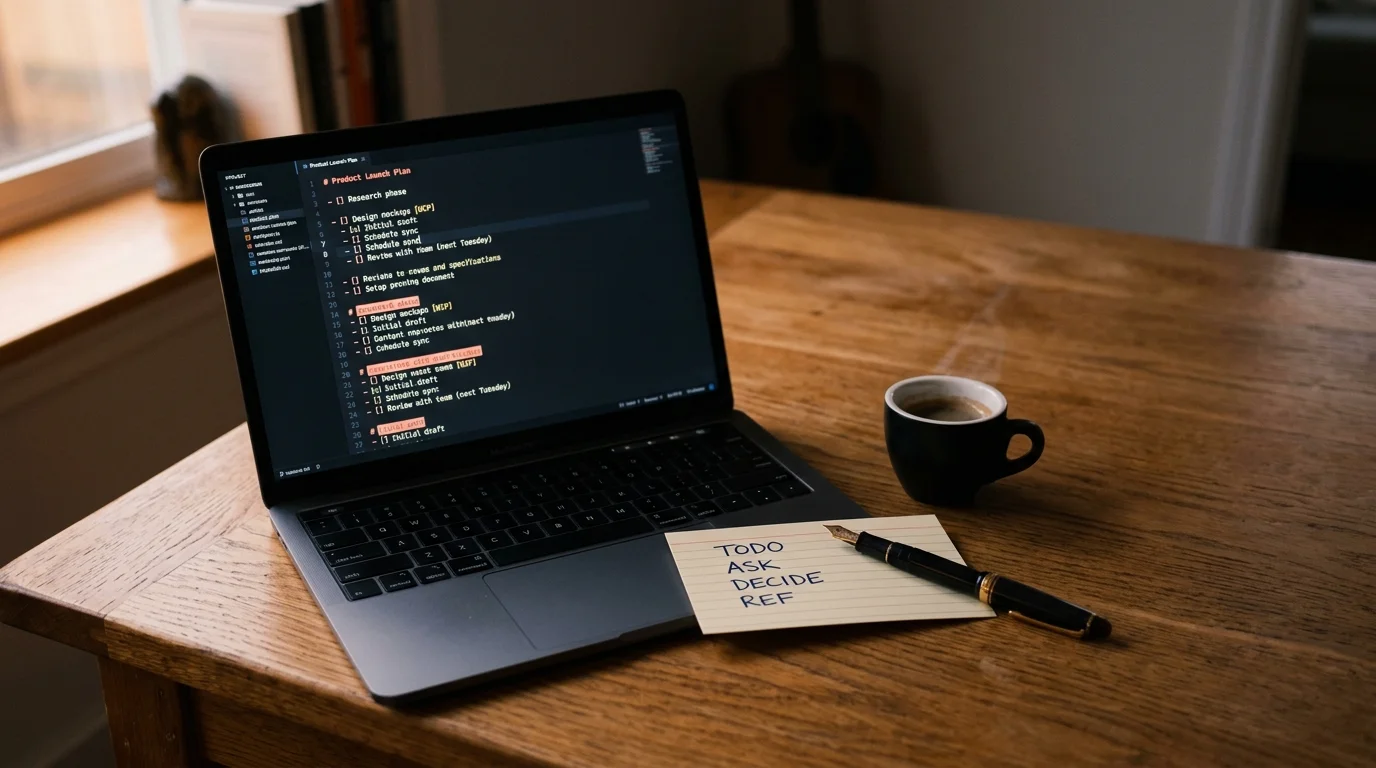
The workflow depends on marking items in place while you read, using a convention that a future search can find. Four tags cover almost every case, and they are easy to type from memory. Introduce them once and they become muscle memory within a day. Speed comes from not thinking about what to type, only about what the item is:
TODO:for a task you personally need to do.ASK:for a follow-up question to send back to the model or a teammate.DECIDE:for an open question you are not ready to answer yet.REF:for a fact, link, or snippet worth keeping even if no action follows.
These four map cleanly to how work shows up in a chat: something to do, something to ask, something to decide, something to remember. Add them inline as annotations in your reader, right next to the paragraph that triggered them. If you use Prism MD, the highlight and comment layer described in the annotation guide keeps these tags attached to the exact paragraph they came from, which matters when a decision hinges on the surrounding context. Losing the surrounding paragraph is how a good tag turns into a mysterious one-line reminder three weeks later.
Do not invent new tags for the first month. The impulse to add MAYBE: or LATER: looks tidy but produces a taxonomy nobody can search. Stick with four until the system feels natural, then add one more only if you catch yourself misusing an existing tag three times in a row. A small vocabulary is what makes the search cheap.
Turning tagged lines into a working list
Once the conversation is fully tagged, the extraction step takes about two minutes. Search the transcript for each tag in turn and paste the matches into a fresh markdown file, keeping a link back to the source conversation. That link is the most valuable field in the whole system, because a task without its reasoning is only a shopping list. When you review the tasks a week later and cannot remember why you wrote one, the pointer sends you back to the paragraph that produced it.
The output file becomes your working list for the week. Treat the TODO: items as the doing queue, the ASK: items as your next prompt draft, the DECIDE: items as the agenda for a thinking session, and the REF: items as raw material for your notes. If you already keep a longer-lived reference collection, feed the REF: items into it using the pattern from our personal knowledge base guide. Everything else can be deleted once the tasks are done.
Two habits keep the system from decaying. First, run the extraction the same day you had the conversation, while you still remember the room the ideas were in. Second, close the loop by re-reading tagged conversations after a month, using the speed-reading approach for long answers to move fast. Most items will be done or irrelevant. The few that survive that pass are the ones worth building on.
FAQ
Do I need a special tool to make this work? No. Any markdown reader with search and annotation is enough. Prism MD is optimized for the reading part, especially long transcripts with math and diagrams, but the tagging convention works in any editor. The value is in the discipline, not the tool. A plain text file and a grep command will get you eighty percent of the way there.
What if the conversation is with a coding agent instead of a chat model?
The same four tags apply, though REF: tends to dominate because coding transcripts contain more reusable snippets. Save the transcript so you can return to it later, and consider the workflow described in the saved conversation guide if you want a longer archive. Coding agents also produce more ASK: items than you would expect, because most sessions end with an unfinished question. Tag those first, before the reasoning fades.
How long should the extracted list be? For a two-hour brainstorming session, five to fifteen items is typical. If you are consistently pulling out fifty, you are tagging as a substitute for deciding. Force yourself to merge or drop items before the list leaves the reader. A shorter list gets done, and a longer one gets abandoned.
Can I automate the extraction with a script? You can, and a ten-line grep works fine. The catch is that the value of the tagging convention comes from writing the tags by hand while you read, because that is where the thinking happens. A script can help you assemble the output, but it cannot replace the reading pass that produces the tags. Treat automation as the last step, not the first.
Turn every AI conversation into a working task list.
Free to start — no credit card.
Related reading



Ready to read your own AI documents?
Open ChatGPT, Claude, Gemini, or any markdown file in the reader built for the way models write.
- ✓Renders code, math & Mermaid out of the box
- ✓Works offline once you've opened a doc
- ✓Free forever for personal reading