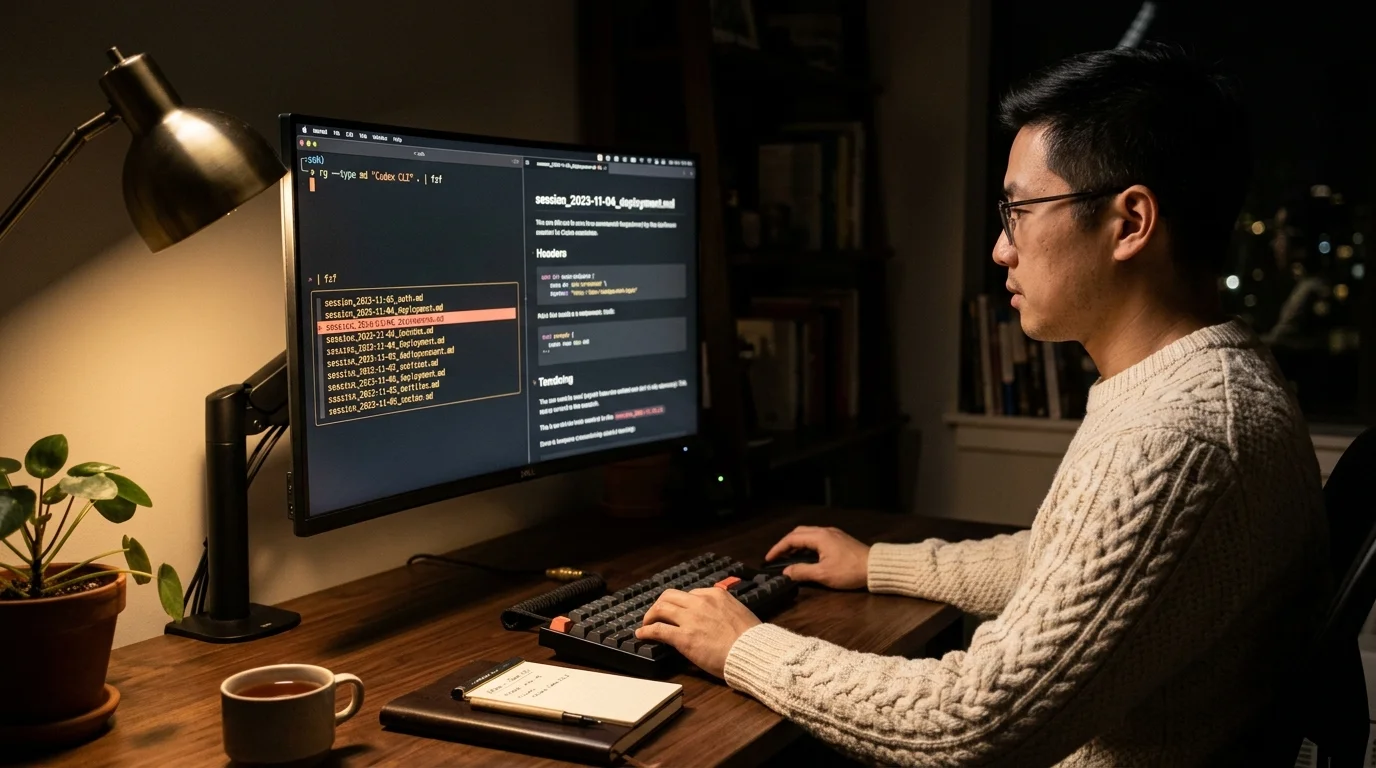
Codex CLI Search History 2026: Find, Export & Grep Every Chat
A search-first field manual for Codex CLI history: grep sessions in seconds, filter by date and model with jq, export matches to clean markdown.
If you live inside OpenAI Codex CLI, you build up thousands of sessions on disk within a few months. Finding the one where you debugged a webhook, exported the SQL plan the model wrote, or grepped for every mention of a stripe retry becomes the real workflow problem. This guide is a search-first field manual for Codex CLI history in late 2026: how to grep sessions the fast way, how to filter by date and model with jq, and how to export matches to readable markdown. Everything below runs on macOS, Linux, and WSL with no extra install beyond ripgrep and jq.
Our earlier guide on where Codex CLI chat files live covers the on-disk layout and reader setup in depth. This post stays focused on the search surface: the commands, the pipelines, and the small habits that turn ~/.codex/sessions/ into a real archive instead of a graveyard of JSONL. Treat it as the hands-on companion to that longer piece. The three verbs below are what every heavy Codex user ends up building in some form.
Grep Codex sessions the fast way
ripgrep across ~/.codex/sessions/ is the single highest impact command for Codex users. The naive version, rg 'webhook retry' ~/.codex/sessions/, already works, but the output is noisy because every match returns raw JSONL. The fix is a two step pipeline: use rg -l to list matching files, then use jq to render only the user and assistant messages from those files. You get a clean hit list with context in two seconds.
A shell function keeps this honest. Define codex-grep in your rc file so you never type the pipeline by hand, and alias common flags for case-insensitive, word-boundary, and fixed-string modes. The second habit worth building is the fzf chaser: pipe rg -l into fzf with a preview that renders the top ten turns of each candidate, and your eyes land on the right session before you finish reading the query. These two moves turn search from a thirty second scroll into a thirty millisecond glance. If you work across multiple coding agents, the same mental model helps when you search Claude Code sessions or dig through older transcripts from other tools.
Filter by date, model, and token count with jq
Grep handles the content question. jq handles the shape question. Every Codex session JSONL starts with a metadata object that carries the model name, start time, and total token usage, which means you can slice your archive by any of those fields without parsing the whole file. The query jq -r 'select(.model == "gpt-5-codex")' applied across the sessions folder returns only runs on that model. Swap in a date comparison and you have a per-day or per-week slicer in a single line.
The useful queries fall into three buckets. Date filters answer questions like "what did I run last Tuesday". Model filters answer questions like "show me every gpt-5-codex session from October". Token filters answer questions like "which sessions burned more than fifty thousand tokens so I can audit cost". Each bucket is a one-liner, and the three compose cleanly with pipes. Save the composed command as codex-sessions-where and pass the predicate as an argument; the time you spend building that one function pays back every week of the year.
Worth knowing: jq streaming mode (jq --stream) matters once your sessions folder crosses a few gigabytes. Streaming reads the JSONL line by line instead of loading full objects, which keeps memory flat even on year-old archives. The syntax is uglier but the performance gap is real on a three year old laptop. Combine streaming jq with GNU parallel and you can crunch a full year of history in well under a minute on commodity hardware. That is the gap between search feeling fast and search feeling like an afterthought.
Export matches to clean markdown
Finding a session is step one. Reading it is step two, and the raw JSONL is not readable prose. The right move is a small Python or Node script that walks the matched files, emits an H2 per user turn, renders the assistant reply as normal markdown, and formats tool calls as fenced code blocks. The script runs in well under a second per session and writes .md files next to the source JSONL.
- Walk files with a line iterator so year-long archives never load fully into memory.
- Write frontmatter per file: session ID, model, start time, token count, project tag.
- Collapse consecutive tool calls under a single
### Tool activitysubheading to keep skim passes fast.
Once the markdown exists, every subsequent search is an rg away. The folder is grep-friendly, portable, and backup-trivial. Open any individual file in Prism MD and you get proper type scale, syntax-highlighted code, and real KaTeX rendering for the equations the model slips into longer answers. Anyone who also uses AI tools on mobile knows the difference between a rendered markdown folder and a pile of JSONL: one is a usable archive, the other is a tax you pay every time you want to re-read your own work.
Compose the full pipeline
The payoff shows up when the three verbs chain together. A real-world query looks like this: "find every gpt-5-codex session from the last fourteen days that mentions prisma migrate and export the hits to markdown". Composed, that is one grep, one jq filter, one xargs call to the render script. The whole pipeline fits in a line and runs in under three seconds on a thousand-session archive.
Build this once, keep it in a dotfile, and treat your Codex history the way a careful engineer treats commit messages: cheap to write, expensive to lose, worth indexing. The Codex team keeps iterating on the CLI, and the on-disk format has stayed stable through the last several releases, which means the time you invest in this tooling compounds. A year from now the same pipeline still works, and your archive is a thousand sessions deeper. The habit that separates heavy users from casual ones is a daily cron that renders yesterday's sessions to markdown and tags them by project.
FAQ
What is the fastest way to search Codex CLI chat history?
Run rg -l 'your query' ~/.codex/sessions/ to list matching files, then pipe to fzf with a jq-based preview. That gets you from query to selected session in under three seconds on any modern laptop. Wrap it in a shell function so you never retype the pipeline. The same function becomes your muscle memory and replaces every GUI search tool you have tried.
Can I search by model or date without reading each file?
Yes. Each session JSONL starts with a metadata object that includes model, started_at, and token counts. A single jq select filter slices the folder on any of those fields, and the queries compose with grep for mixed content and shape predicates. Run the model filter first when your archive is large, because it prunes the input set before the expensive grep pass.
Does ephemeral mode still write searchable history?
No. Ephemeral sessions skip the write to ~/.codex/sessions/ by design. Keep default persistence on if you want to grep your history later, and rotate old files on a schedule you control. Ephemeral is useful for secrets work, not for day-to-day coding. If a session feels sensitive enough to run ephemeral, it is sensitive enough to keep out of your long-term archive.
How do I export search matches to markdown?
A twenty-line Python script walks matched JSONL files and emits one markdown file per session with H2 turns and fenced tool-call blocks. Pair it with your grep hit list via xargs and the full find-export pipeline is one line. Open the result in any markdown reader for a clean read. Over time the rendered folder becomes a more useful substrate for search than the JSONL itself.
Turn every Codex CLI session into a searchable, readable archive.
Free to start — no credit card.
Related reading
Ready to read your own AI documents?
Open ChatGPT, Claude, Gemini, or any markdown file in the reader built for the way models write.
- ✓Renders code, math & Mermaid out of the box
- ✓Works offline once you've opened a doc
- ✓Free forever for personal reading