How to Read AI Reasoning Traces From o1, DeepSeek R1, and Claude Extended Thinking
Save and reread the scratchpad from o1, DeepSeek R1, and Claude extended thinking as real documents, not a collapsed panel in a chat sidebar.
Reasoning models changed what a saved AI conversation contains. When you export a chat from o1, DeepSeek R1, or Claude with extended thinking on, you get two things stacked together: the model's private scratchpad and the final answer it decided to publish. Reading both matters. The scratchpad is where the model second-guesses itself, backtracks, tries a wrong approach, and eventually lands somewhere useful. If you throw it away and skim only the final answer, you lose the part that tells you whether to trust the answer at all. This guide is for people who already work with reasoning models daily and want to reread the thinking traces properly. Not as a wall of gray italic text collapsed behind a "show reasoning" toggle, but as real documents with structure, typography, and search.
Why Reasoning Traces Need Their Own Reading Setup
A normal chat transcript is roughly one turn of user prompt, one turn of assistant answer, repeat. A reasoning transcript adds a third layer inside every assistant turn: an internal monologue that can be longer than the final answer by an order of magnitude. On a hard math problem, Claude's extended thinking can produce twelve thousand tokens of scratchpad before writing a four hundred token reply. o1 does the same. DeepSeek R1 surfaces the entire chain of thought inside <think> tags directly in the response. The volume alone changes what a good reader has to do.
The default UI treatment is a collapse. That works during a live chat, because the thinking is a progress indicator more than content. It stops working the moment you want to go back a week later and understand why the model reached a specific conclusion. You end up expanding every trace, scrolling through unstyled prose, and losing your place. A dedicated markdown reader fixes this by treating the trace as a first-class section with its own heading, its own typography, and its own scroll position.
If you have not thought about typography for AI output before, the short version is that reasoning traces are harder to read than final answers because they are less edited. The model rambles, restarts sentences, and interleaves math with English. Good line height, a serif or humanist sans for the body, and generous margins turn a wall of text into something you can parse without fatigue. We wrote about this at length in why AI-generated markdown deserves better typography. The same rules apply here with even more force, because unedited text is where typography earns its keep.
Exporting the Thinking From Each Provider
Each reasoning model exposes its trace differently, which is annoying but manageable once you know the pattern. For OpenAI o1 and o3, the ChatGPT export gives you the final answer only. The internal reasoning is not included in the user-facing export, and this is by design. If you use the API directly, you get a reasoning field on the response object with a summary of the thinking, not the raw trace. To capture what you saw in the UI, screenshot the expanded reasoning panel or copy the visible text before the session ends. It is worth building a habit here because there is no going back.
For Claude with extended thinking enabled, both the Anthropic Console and the API return the thinking as a distinct content block with type thinking. When you export from the Console, the block is preserved in the JSON. If you rely on Claude Code or Cursor's agent mode, the transcript files on disk contain the thinking blocks in the same format. We covered the general export path in how to read Claude Code and Cursor agent transcripts like documents, and reasoning transcripts follow the same shape. Make sure your exporter is not stripping the thinking blocks when it converts to markdown, since a few open source tools drop them by default.
For DeepSeek R1, the chain of thought is included directly in the message body wrapped in <think> and </think> tags. This is the easiest case: copy the full message, save it as markdown, and any reader that respects HTML-like tags can style the block separately. The API returns the same format, which makes automation trivial. For Qwen QwQ and other open reasoning models running locally through Ollama or LM Studio, the trace is streamed as part of the response, and your client decides whether to persist it. Our post on reading local LLM outputs from Ollama and LM Studio walks through the file layout for those cases.
Formatting the Trace So It Reads Like a Document
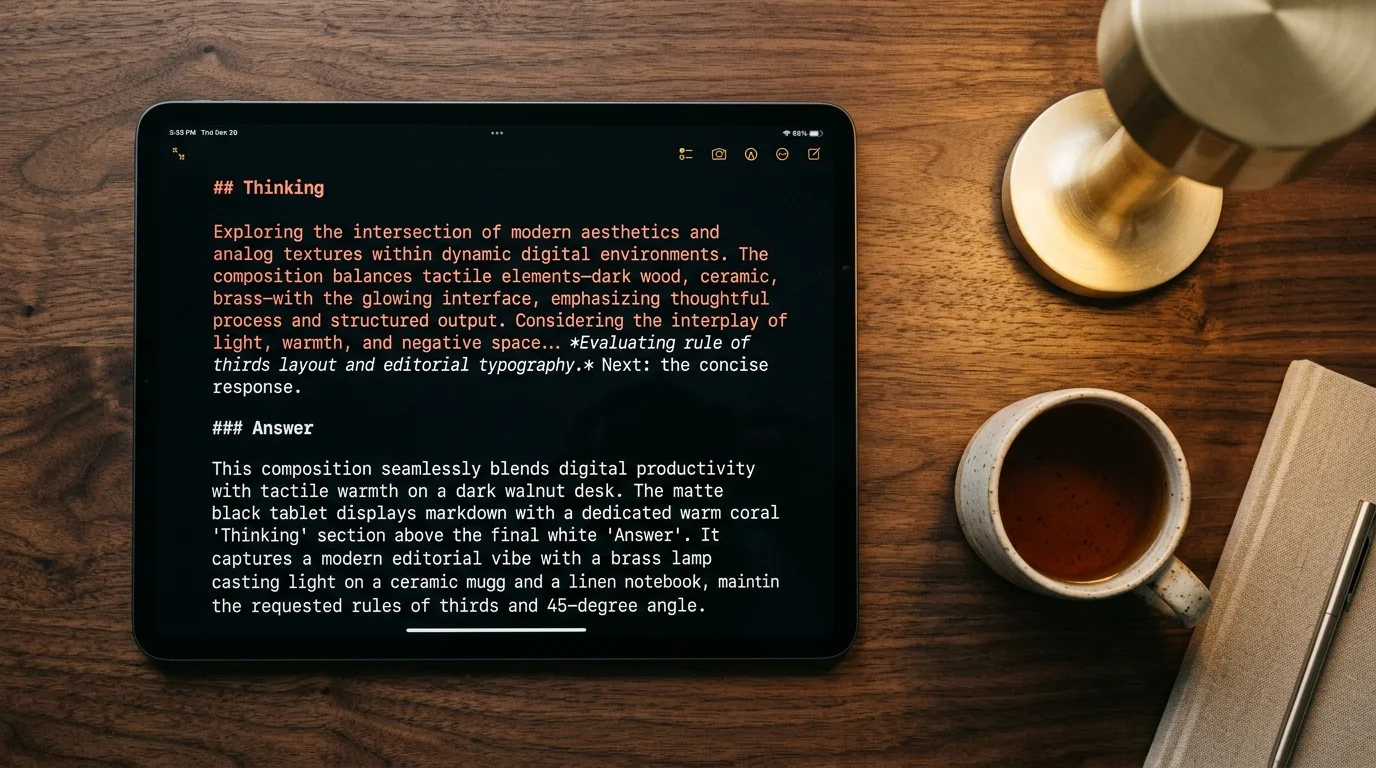
Once you have the raw text, the goal is to convert it into markdown that renders with clear separation between thinking and speaking. A minimal template looks like this: a top level heading for the user turn, an H2 for "Thinking" containing the trace, then an H2 for "Answer" containing the final response. Numbered turns keep long sessions navigable. If the trace contains math, wrap it in dollar signs so KaTeX picks it up. If it contains mermaid diagrams, keep them in fenced blocks with the mermaid tag. Consistency across sessions pays off later, when your archive is a hundred conversations deep and you want to grep for a specific phrase across all the thinking sections. Three habits are worth adopting inside that structure, and each one is about preservation over polish:
- Wrap each reasoning block in its own H3 or a blockquote so the reader can visually skip it while scanning a long session.
- Keep the code fences the model used inside the trace intact, since reasoning models often write and rewrite code inline while thinking, and those partial blocks are useful diagnostic material later.
- Leave the raw markdown untouched instead of cleaning up half-sentences or fixing typos, because the messy parts are the signal that tells you where the model was uncertain.
That last point matters more than it sounds. The instinct to polish a saved transcript into something presentable strips out the exact signal you want later. If you plan to publish the trace, do the cleanup in a separate copy and keep the raw one archived. Treat the raw file the way you would treat a lab notebook, and treat any cleaned version the way you would treat a paper draft.
Rereading Traces to Debug or Learn
The reason to keep reasoning traces at all is that they are the best teaching material a working AI user has access to. A reasoning model shows you exactly how it decomposed a problem, which subproblems it thought were easy, and where it hit a wall. When you reread a trace a week later, you notice things you missed in the moment. You see the model considering a case you did not think of. You see it rejecting an approach for a reason that turns out to apply to your own thinking on a different problem.
For debugging, the trace tells you whether a wrong answer came from a wrong assumption, a lost thread, or a genuine model limitation. Each of those has a different fix. For learning, the trace works like an expert reading of the problem you brought. Neither use case survives if the trace lives in a collapsed panel in a chat sidebar you never open again. A markdown reader like Prism MD treats reasoning transcripts the way they deserve: thinking blocks render as their own section with quieter typography so the answer still stands out, KaTeX and mermaid render inline, and search runs across both the thinking and the answer. That last part matters because the phrase you remember often came from the scratchpad, not the reply.
FAQ
Should I always save the reasoning trace, or only the final answer? Save the trace when the answer surprised you, when you want to teach yourself the method, or when you plan to cite the conversation later. Skip it for routine lookups where the answer is self-evident and you will never revisit it. Storage is cheap and the traces compress well, so err on the side of keeping them. A rough rule: if the prompt took you more than five minutes to write, the trace is worth keeping.
Does OpenAI let me see o1's raw chain of thought? No. OpenAI publishes only a summary of the reasoning. What you see in the ChatGPT UI is closer to the raw trace, but even that view is filtered. Anthropic and DeepSeek are more open here, and if unfiltered chain of thought matters to your workflow, those two are the models to reach for. Assume this stance will shift over time, but plan around the current state.
Are reasoning traces safe to share publicly? Treat them like your own working notes. They often contain the model reciting parts of your prompt, including anything sensitive you pasted in. Scrub before publishing, especially if the prompt included API keys, client names, or unreleased product details. A quick grep for common secret patterns before you post catches most accidents.
How long does a typical reasoning trace get? For a hard problem, ten to twenty thousand tokens is normal. For a quick question, a few hundred is common. Reader typography matters more as the trace gets longer, which is why the collapsed panel design in most chat UIs stops working past a certain length. Plan your archive tooling around the long tail, not the median.
Read your reasoning traces the way they deserve.
Free to start — no credit card.
Related reading



Ready to read your own AI documents?
Open ChatGPT, Claude, Gemini, or any markdown file in the reader built for the way models write.
- ✓Renders code, math & Mermaid out of the box
- ✓Works offline once you've opened a doc
- ✓Free forever for personal reading