How to Diff Two AI Answers to See What Actually Changed
Regenerating an AI answer creates a new draft, not a refinement. Here is the fastest way to diff two versions and catch the changes that matter.
Ask any chat model the same question twice and you will get two different answers. Regenerate a Claude response, rerun a ChatGPT prompt after tweaking one word, or ask Gemini to try again with a fresh temperature, and the second draft will drift. Sometimes the drift is trivial. Sometimes a whole paragraph flips its recommendation, a citation vanishes, or a code block quietly grows an off-by-one bug. If you rely on AI output for real work, you need a way to see the difference between two versions at a glance instead of squinting at two tabs. The chat UI will not do this for you, so the workflow has to live in your own tools.
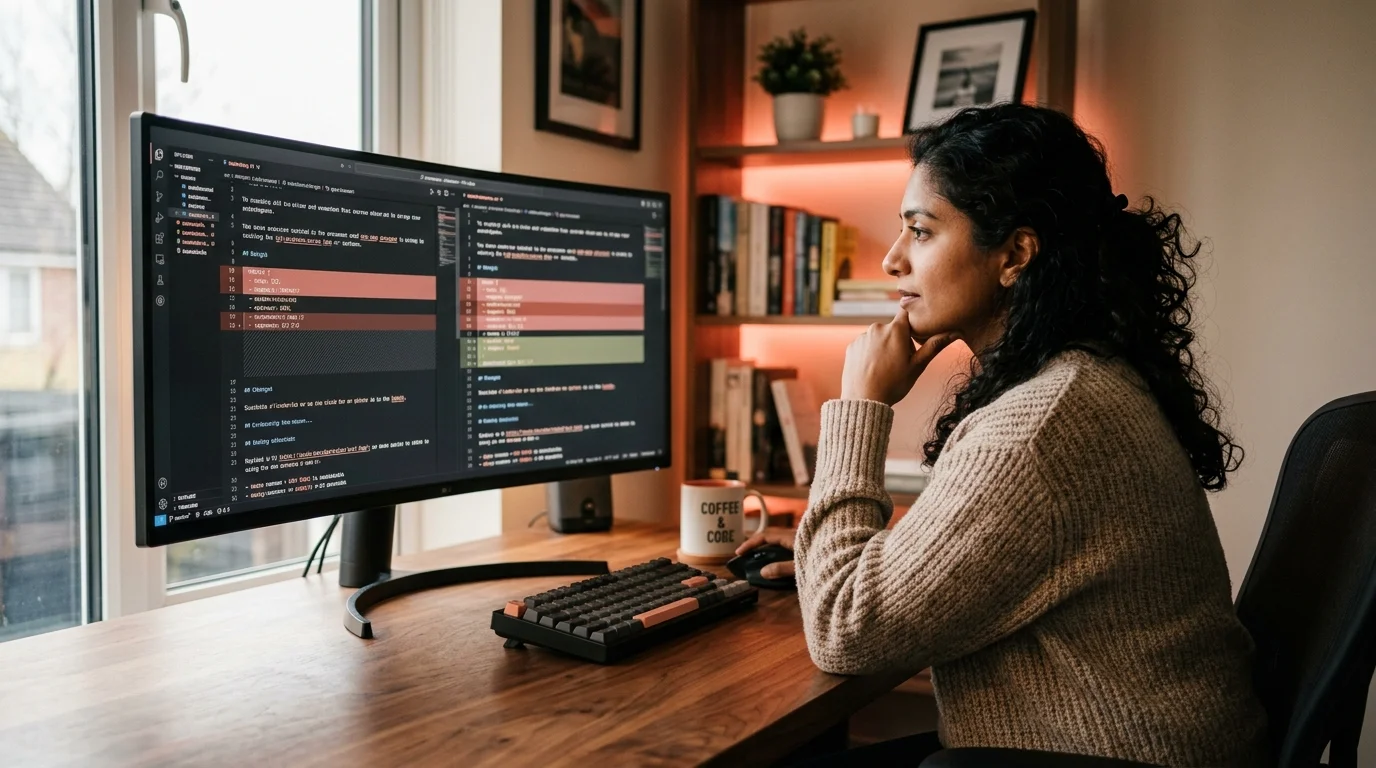
This is the same problem software teams solved thirty years ago with diff tools, and the fix carries over cleanly. You export both answers to markdown, run a text diff, and let the tool highlight what changed. The trick is doing it fast enough that you will bother, and rendering the result in a way that respects the structure of the answer instead of treating it as a wall of characters. Once the habit is in place, the whole thing takes under a minute per comparison.
Why eyeballing two tabs fails
Human readers are terrible at spotting small changes in long text. Studies on proofreading error rates put missed substitutions above thirty percent for texts over five hundred words, and AI answers routinely run two to four times that length. The chat UIs make it worse, since regeneration usually replaces the previous answer in place, or hides it behind a small arrow at the top of the message. By the time you notice something feels off, you have lost the original and cannot compare the two side by side. That is a bad position to be in when the answer you kept was the worse one.
The workflow that fixes this is boring and mechanical, which is exactly why it works. Save version A, save version B, open both in a diff view. The same instinct that made you save two drafts of a contract before sending it to a lawyer applies here, because a regenerated AI answer is a new draft with unknown edits, not a refined copy of the first one. Treat every regeneration as a fork, not a revision.
Export both answers to markdown first
Diffing HTML from a chat UI is a losing battle because the markup changes even when the words do not. Convert both answers to plain markdown before you compare anything. Most chats give you a copy button on each message that produces reasonable markdown, and for the ones that do not, a browser extension or a plain right-click copy as markdown will get you there. Save version A as answer-a.md and version B as answer-b.md in the same folder, ideally under a dated subfolder so you can find the pair again next week. Naming discipline is what keeps this workflow from turning into a pile of untitled files.
If you are working with Claude or ChatGPT specifically, the export flows described in how to read long Claude conversations without losing the thread and how to read ChatGPT conversations as beautiful documents already produce clean markdown files you can feed straight into a diff. For Gemini, the same trick shows up in how to export and read Google Gemini conversations. Keeping the export step consistent across models means the diff you run tomorrow will match the diff you ran today. Consistency in the input is what makes the output legible.
Run a real diff, not a mental one
Once you have two markdown files, any of the standard tools will work well enough. The exact choice matters less than picking one and sticking with it, because muscle memory is what makes this a five second habit instead of a five minute chore. If you already live in the terminal, use the terminal. If you live in an editor, use the editor. Here is the short list worth having installed:
diff -u answer-a.md answer-b.mdfor a plain unified diff in the terminal.git diff --no-index --word-diff answer-a.md answer-b.mdfor color and word-level highlighting without needing a repo.- VS Code's built-in Compare Selected feature when you already have both files open in the editor.
- Meld, Kaleidoscope, or Beyond Compare for a proper GUI with three-pane merging if you also want to combine the best of both drafts.
For quick one-off comparisons, a browser-based diff works fine. Paste both markdown blobs into a diff viewer, note the changed sections, and close the tab. The result is the same as the local tools, and you skip the file management overhead. Pick whichever tool you already have installed, because the friction of choosing a new one is what kills this habit before it starts.
Read the diff, not the noise
Raw diff output looks alarming because whitespace shifts and reflowed paragraphs light up as changes even when the meaning is identical. Two habits cut through that noise. First, ask your diff tool for a word-level or character-level view instead of line-level, which collapses reformatting into the real edits. Second, always read the diff top to bottom in the context of the H2 structure, since AI answers tend to hold the outline steady and only rewrite inside sections. If a whole heading disappears, that is a strong signal the model changed its mind about scope, not the phrasing.
When you spot a real change, the useful question is not what the model said differently but why it changed its mind. Sometimes the second answer is better because it caught an earlier hallucination. Sometimes it is worse because sampling picked a less careful phrasing. A short habit of writing one line in your notes about which version you kept and why turns this from a one-off task into a small feedback loop on your own prompting. Over a few weeks that log becomes surprisingly useful for spotting which kinds of prompts produce unstable answers.
Where this fits in a longer workflow
Diffing regenerations is one piece of a larger habit of treating AI answers as real documents that you archive and revisit. It plugs neatly into the archive workflow described in how to save AI conversations you want to re-read, and it becomes almost automatic once you already keep every important answer in a folder rather than trusting the chat sidebar. Once the folder exists, the diff step is two file paths and a single command. The rest of the habit takes care of itself.
Prism MD sits at the reading end of that workflow. Once your answers are in markdown, Prism MD renders them with typography built for long-form AI output, KaTeX math, and Mermaid diagrams, so the diff you run in your editor and the reading view you use afterwards match. The tighter the loop between exporting, diffing, and reading, the more likely you are to run the diff at all instead of trusting a regenerated answer on faith. That is the whole game: cheap comparison, honest reading, fewer surprises.
Frequently asked questions
Do I need Git to diff two AI answers?
No. Any diff tool works, including the classic diff command, VS Code's built-in compare, or a web diff viewer. Git only helps if you want to keep every version in a version-controlled folder over time so you can walk back through the history months later. For a one-off comparison, plain diff is more than enough and takes no setup at all.
Should I diff the raw exported markdown or the rendered output? Diff the markdown. Rendered HTML introduces cosmetic differences that are not real content changes, and it strips code blocks of the fences that make bugs visible. Markdown also survives copy and paste between tools without gaining hidden styling that muddies the next diff. Once you standardize on markdown as the diff format, every tool downstream behaves predictably.
How do I diff answers that are hundreds of lines long? Use a word-level diff and read section by section using the H2 outline. If the answer has more than six H2s, split the diff into chunks and check them one section at a time so you do not lose track of context. A pass per section takes about thirty seconds once you are used to the format. The goal is to keep the working memory load per chunk low enough that you can still catch a subtle wording flip.
Is it worth diffing every regeneration? No. Diff when the answer matters enough that a wrong sentence would cost you real time, when you already suspect the model changed its mind, or when you are comparing outputs from two different models for a decision you need to defend later. For casual chat, the effort is not worth it and you can trust the second answer at your own risk. Reserve the habit for the answers you would be embarrassed to be wrong about.
Read your AI answers the way they deserve to be read.
Free to start — no credit card.
Related reading


Ready to read your own AI documents?
Open ChatGPT, Claude, Gemini, or any markdown file in the reader built for the way models write.
- ✓Renders code, math & Mermaid out of the box
- ✓Works offline once you've opened a doc
- ✓Free forever for personal reading