
How to Read Qwen Chat Logs: A Simple 2026 Guide
Qwen has no export button and no PDF route. Here is the short answer: where the thread lives, how to pull it into a file, and how to render it or print it.
Qwen has quietly become one of the strongest chat models for coding and long form reasoning, and most people who use it hit the same wall. The thread looks great while you are writing it, and then becomes a chore to reread two days later. There is no clean export button in the Qwen web app, no PDF route that preserves rendered math, and no way to search across old sessions. This is the short answer version of how to read a Qwen chat log in 2026. It covers where the thread lives, the fastest way to pull it into a file, and how to turn that file into a document or a PDF you can use with other people.
Where A Qwen Chat Log Lives
Qwen conversations in the web app at chat.qwen.ai live on Alibaba Cloud servers, not on your machine. The sidebar on the left shows your thread history, but each thread is a server side record that renders back into the chat panel when you click it. That matters because there is no local file to open, no JSONL on disk, and no folder to grep across. If you want a copy you can read on your own terms, you have to pull the thread out of the chat panel first.
The one exception is the Qwen API. Threads built through the API return as plain markdown strings in the response body, so if you drive Qwen from a script, you already have a file. For everyone using the web app, the practical answer is the same as every other vendor chat. Treat the browser session as a writing surface, and build the archive yourself. The whole workflow below takes about three minutes per thread and holds up across the Qwen3 reasoning mode where the answers get long.
The Fastest Way To Pull A Qwen Thread Into A File
Open the thread you want to keep in a desktop browser, scroll all the way to the top, then select from the first user message down to the last assistant reply. Copy the selection, then paste it into a plain text editor with the file extension set to .md. Qwen serves answers as real markdown under the hood, so this one paste preserves headings, code fences, bullet lists, and the dollar sign KaTeX delimiters that drive its math rendering. The output is a working markdown file in under thirty seconds, which is faster than any dedicated exporter I have tested.
A few details decide whether the paste survives contact with a long thread. The failure modes are predictable and the fixes are small, which is why writing them down once saves time on every future thread. Each rule below is one I have broken at least once, and the regret is cumulative because the lost thread is usually the one you most wanted to keep. Keep the list taped to your workflow for the first few sessions.
- Paste into a plain text editor, not Word or Google Docs, since rich text apps silently rewrite characters and break code fences.
- Name the file with a date prefix like
2026-10-27-qwen-vector-search.mdso the folder sorts cleanly and the file is findable six months on. - Add a one line topic tag at the top of the file so grep across the folder returns the right thread fast.
- Keep one file per thread, since merging two unrelated topics into one file is the fastest way to lose both.
For readers who want the full archive build out, the longer workflow for exporting and reading Qwen conversations walks through the convention set I keep returning to. For the dedicated converter route, the Qwen chat exporter guide covers the tooling that automates the paste step. Pick the full workflow if you are building an archive you expect to grow past a hundred threads. Pick the converter if you only care about one off exports and want the automation to do the folder housekeeping.
Reading The File Like A Document, Not A Chat
A raw markdown file is not the end state. The chat panel in Qwen is narrow, the code blocks fight you on a laptop, and the KaTeX math renders at a size that assumes you are standing on a chair. The real goal is a document view with serif body type, syntax highlighted code, a sticky table of contents, and proper math rendering, which is what Prism MD does for any .md file you drop in. The same thread that felt like a wall of chat suddenly reads as a single editorial column with structure you can jump through.
This is where the extra three minutes of effort earns its keep. A long Qwen3 reasoning trace is often forty turns of mixed prose, code, and derivations, and that shape is only legible once you render it as a document. The same trick works for every other vendor chat in rotation, which is why the three column comparison workflow across ChatGPT, Claude, and Gemini uses the same render step underneath. Treat the model answer as an artifact, not a conversation, and the reading experience stops fighting you. The mobile view of the rendered file is also where offline reading becomes practical, since the file is plain text under the hood.
Turning A Qwen Chat Into A Clean PDF
The PDF route is the second most common ask, usually because someone wants to share a thread with a reviewer or keep a frozen record. The cleanest path is a two step one. First, paste the thread into a .md file using the route above. Second, open the file in Prism MD and use the browser print to PDF option while the rendered view is on screen. The output is a vector PDF with real text, searchable code blocks, and KaTeX equations preserved as proper math, which beats every screenshot route by a wide margin.
A few details are worth getting right the first time. Set the page size to A4 or Letter before printing, since the default on some browsers is Legal and the margins look odd on standard paper. Toggle background graphics on in the print dialog so the dark theme and coral accents carry through to the PDF. If the thread is longer than about thirty pages, split it into two files at a natural H2 boundary and print each half separately, which keeps the file size reasonable and the table of contents useful.
FAQ
Is there an official Qwen export button? Not at the time of writing. Alibaba has shipped new features across the Qwen3 series through 2026, but a native export to markdown or PDF from the web chat is not one of them. The copy and paste route into a .md file is the practical answer, and it has not changed shape in over a year. Treat it as the stable path until Alibaba ships something cleaner.
Will my code blocks survive the paste? Yes, as long as you paste into a plain text editor. The triple backtick fences Qwen uses are standard markdown, and they survive a direct paste intact every time I have tested it. Rich text editors are the only thing that reliably break the fences, since they rewrite backticks into smart quotes. Open the file in a renderer before you close the browser tab, so you can confirm the fences held.
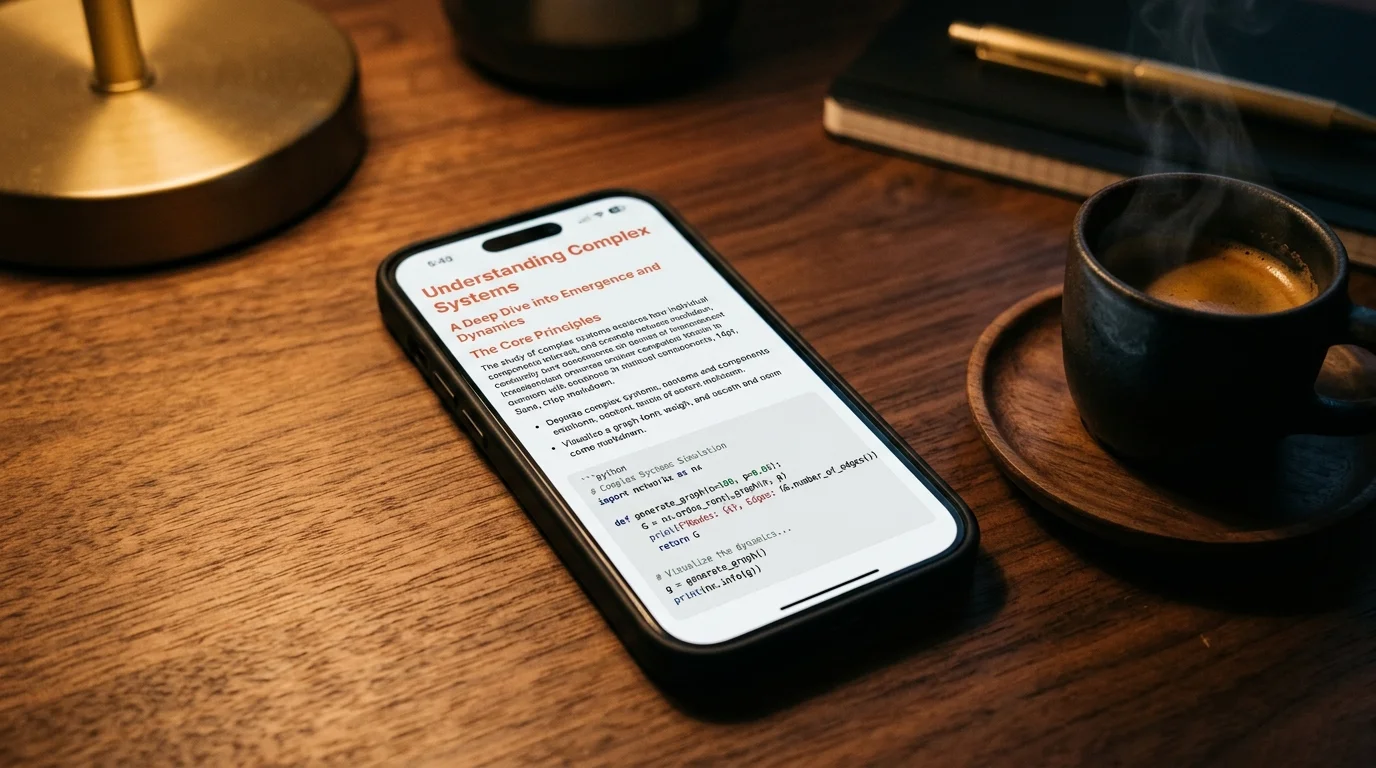
Can I read a Qwen chat log on a phone? Yes, and this is where the render step pays off twice. The same .md file opens cleanly in Prism MD on mobile, with offline support, so a long thread is readable on a plane or in a tunnel without the Qwen web app involved. The sticky table of contents is what makes a long thread bearable on a small screen. Pin the file to your home screen if you plan to reread it more than once.
What about the Qwen API? Even easier. The assistant turns come back as markdown strings already, so a short script that concatenates them with H2 dividers between turns gives you a ready to render file with no copy and paste step at all. The same script works for the open weight Qwen variants running under Ollama or vLLM, since the output format is identical. That makes the API route the fastest way to build a repeatable export pipeline.
Read your Qwen threads the way they were meant to look
Free to start — no credit card.
Related reading

Ready to read your own AI documents?
Open ChatGPT, Claude, Gemini, or any markdown file in the reader built for the way models write.
- ✓Renders code, math & Mermaid out of the box
- ✓Works offline once you've opened a doc
- ✓Free forever for personal reading